

26 Oct How to Connect an iPod to the Mustang Mach 460 Factory Radio
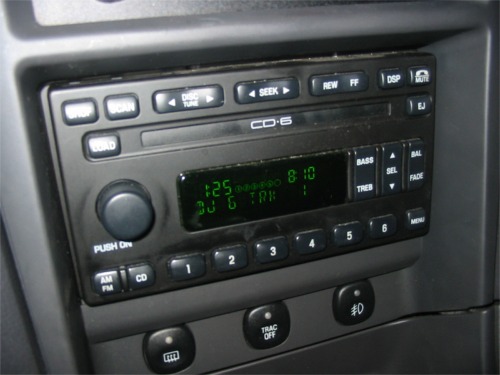
I have a 2002 Ford Mustang GT with a Mach 460 6-Disc CD Changer. I’ll be hooking it up to my fourth generation 40GB iPod Photo.
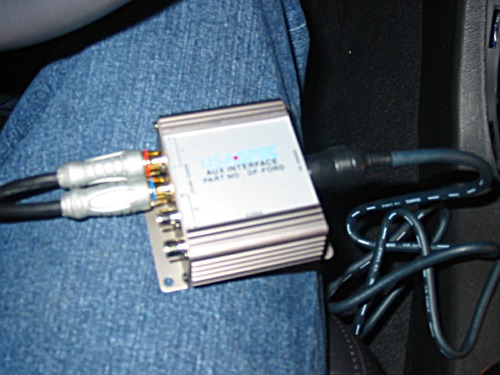
To get the ball rolling, I purchased a Precision Ford Auxiliary Interface from Amazon. It adds two sets of composite audio jacks to the stereo. It comes with cables that simulate the additional CD changer. The other option would be a unit that actually lets you control the iPod via the stereo controls but I didn’t want that because when you have that you can’t use the iPod interface to choose songs. You’re limited to 6 preprogrammed playlists accessible via the stereo controls. I’d rather have the option of choosing exactly what songs I want to play.
There are various brands of these and you can buy them from a lot of different places.
I took lots of pictures along the way for two reasons. One, I wanted to have a reference of how to put everything back together. Secondly, in all my research I never found a good, detailed web page describing how to install the iPod adapter in a Mustang. I was prepared for a long battle but it ended up being a piece of cake. Even with me taking my time I was finished in an hour. I could probably redo it in a half hour or less now. Even if you know nothing about electrical systems or cars, don’t be a afraid of this one. It’s simple.
Before you get started, disconnect the ground wire from the battery. You’re going to be screwing around with a lot of plugs and wires and you don’t want anything to short out.
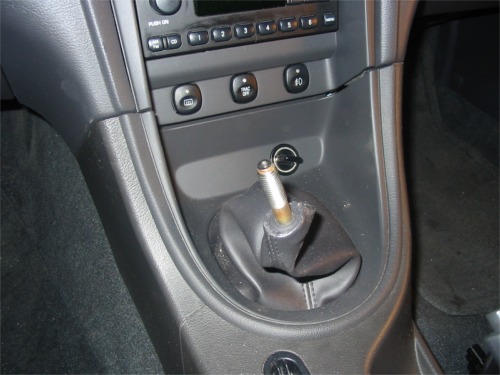
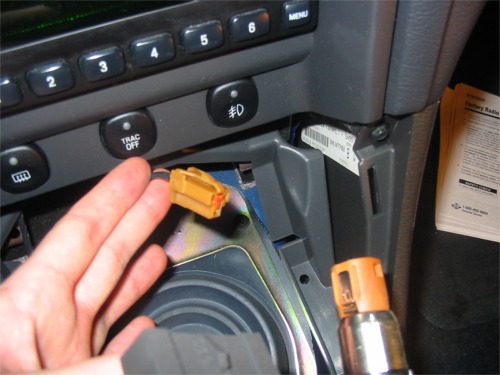
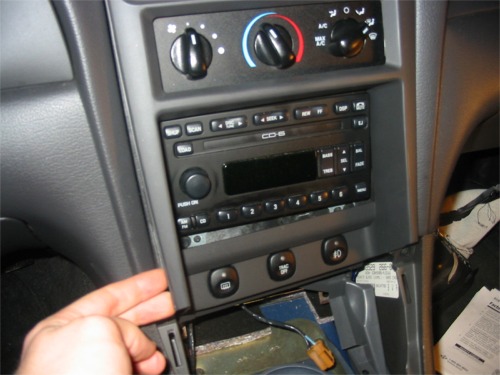
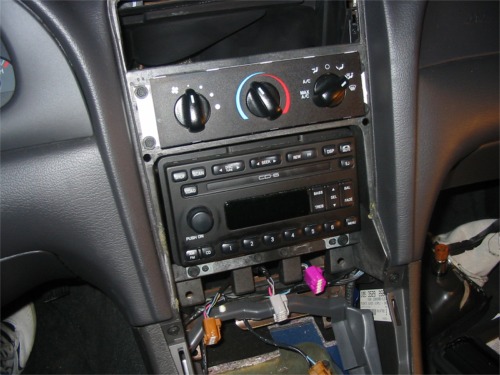
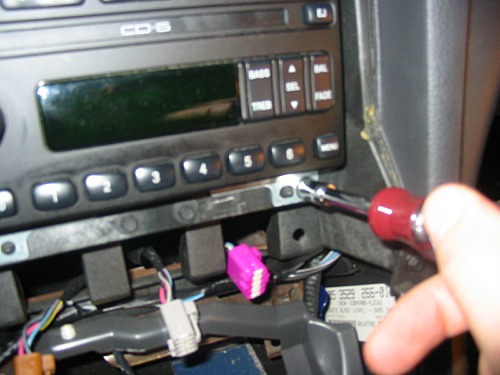
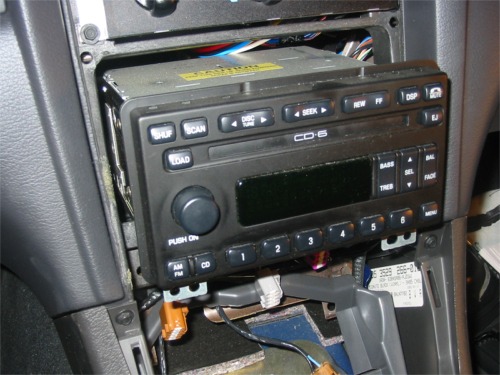
First unscrew the gear shift cap and set it aside. Now pull off the panel around the gear shift. There are four metal clips the will release as you work them out. Disconnect power to the cigarette lighter. There is a small tab to depress and then the connector will slide out. It helps to use a small screw driver to push in the tab while you pull out. Slide the boot and panel over the gear shift and set it aside. It helps at this point to put the car into second gear so the gear shift is out of the way. Now remove the panel around the radio and climate controls. Slide your fingers in the crack until you feel the tabs releasing. There are 6 tabs in all. Disconnect the cables from the fog lights, traction control, and rear defroster buttons in much the same way as the cigarette jack came out. Now you can set that panel aside as well. There are two 7mm screws along the bottom of the receiver that hold it in place. Remove those and the receiver will slide out.
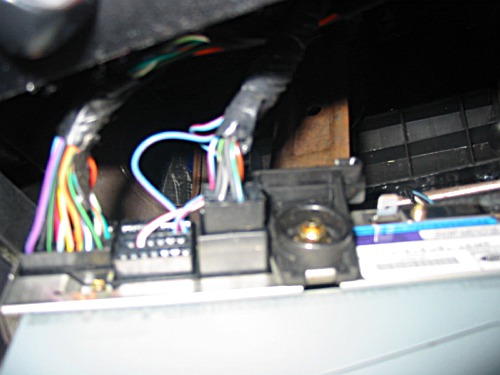
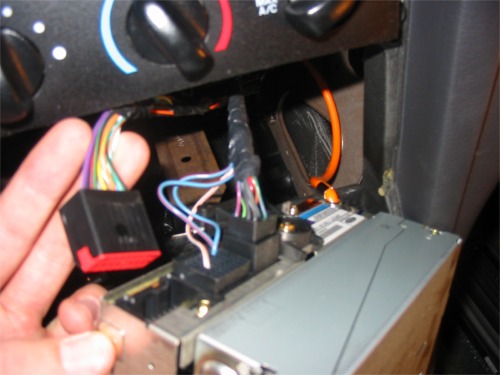
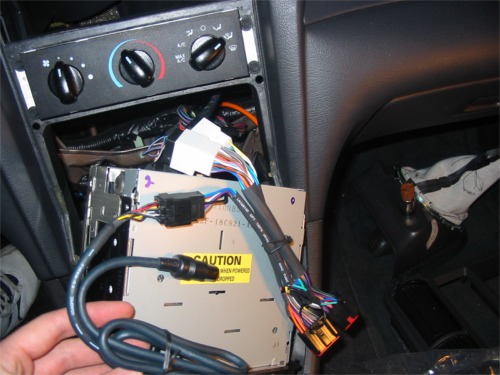
The kit comes with two cables to connect to the stereo: CAS-F10 and CAS-F20. You’ll only use one depending on which version of the stereo you have. I used the CAS-F20 but your mileage may vary. Only one will fit so it’s not hard to figure out. For the F20, disconnect the two big plugs. There is a tab on the bottom that you depress before pulling the cable out. Insert those two plugs into the white female jacks on the F20 cable. Also you can connect the F10 plug at this time. Connect the two plugs on the other end of the F20 cable to the stereo. Push hard until you hear them click into place. Connect a cable to the AUX inputs (not included in the kit.) There is a hole behind the stereo that you can put the headphone jack through. It comes out near your right shin when you’re positioned for driving.
Reinsert the receiver part way into the dash just so it’s being held close to it’s proper place. Reconnect the ground to the battery and turn on the car. Check to see that your stereo and CD changer works as before. To use the AUX interface, hold down the CD button until it says DJ. The first AUX input is track 1 and the second AUX input is track 2. Play something on your iPod and you should be all set!
Since you disconnected the battery, all your stereo settings will be lost. It’s actually kind of fitting that your presets are gone. Who cares? You have an iPod now! Don’t forget to turn the speed sensitive volume back on. While the stereo is on, hold down the power button until the Speed Vol setting appears. Use the select arrows to bump it up to about 4. Release the power button and the radio will turn off. The next time you turn the radio on, the volume will use that setting.
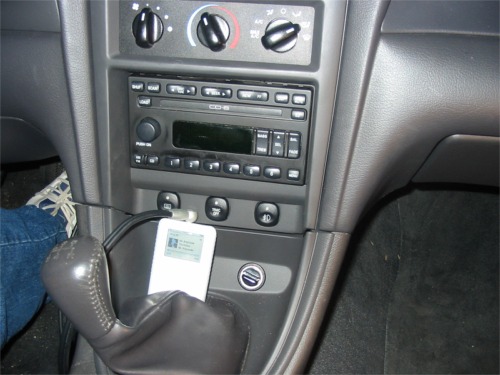
This isn’t the end of the project but it’s the biggest hurdle. I now need to mount my iPod and get a charging system hooked up. I ordered a which holds the iPod in the cup holder. I also ordered a Belkin Auto Kit . It will charge the iPod from the cigarette lighter and also provide a line-out jack which has better quality sound than the headphone jack. It also has an adjustable amplifier so that you don’t have to turn up the stereo so high. I was originally going to mount the iPod onto the center vent so it would be at eye level. Doing it this way will allow me to hide the wires better. I’ll run the power to the power point inside the center console and just have the one dock cable appear from below the drivers seat to connect to the iPod. It should look very neat and tidy.
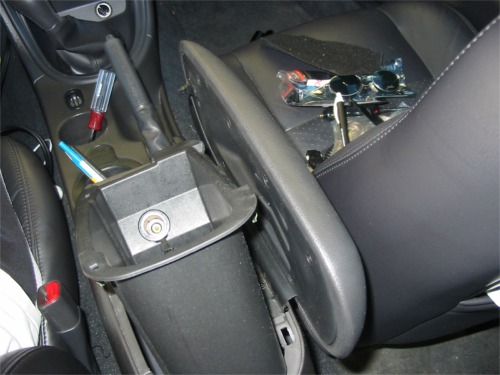
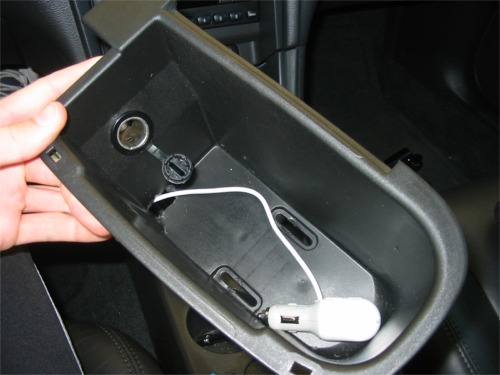
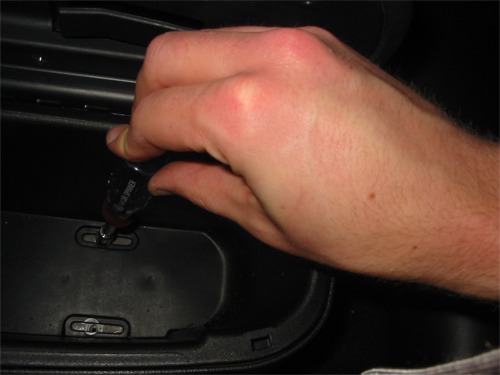
The cup holder and auto kit came in a few days ago. The cup holder fits in the front cup holder and holds the iPod in just about any position you want. It makes for a nice looking installation but I’m not sure if it’s really worth the money. You could just set it in the cup holder. It’s not like you can really be looking down to read it while you’re driving. I took out the armrest bucket this evening and installed the auto kit. Unplug the battery, remove the two screws from the bottom of the armrest bin (use a 7mm socket), pull it out and disconnect the power point. Drill a hole in the bottom of the bin big enough for the audio cable and auto kit to slide through. Reassemble and viola! It makes for a very professional looking installation. The audio cable runs under that console all the way from the radio into the bin and connects at the power point with the power jack. The dock connector cable runs back out the hole in the bottom of the bin and peeks out under the seat right by the cup holder. Plug in that cable and it all magically works.
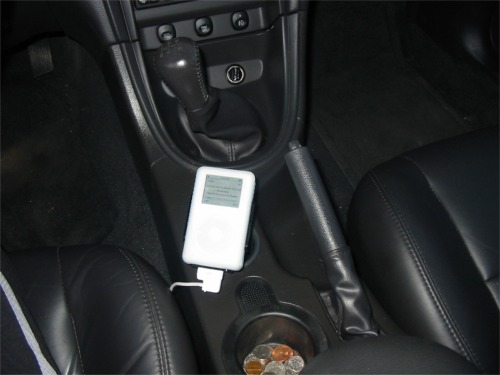
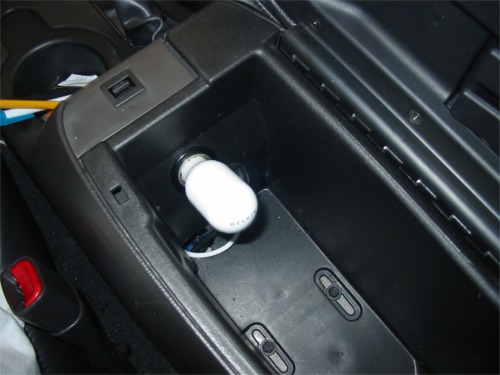
The result is well worth it. It sounds great and now I have my entire music library with me wherever I go.
found @ http://www.studio711.com
Links may earn me commissions. As an Amazon Associate I earn from qualifying purchases.
Brian Fernandez
Posted at 18:18h, 10 April 2010Great Help!
awesome instructions! do you know what the total cost was?(minus the cup holder thing) and i was also wondering if the belkin auto kit u got would work with an iphone.
Mike
Posted at 10:22h, 12 April 2010I’m sorry I do not recall what the total cost was. They have separate kits for the iPhone, I dont have one so I’m not 100% sure if it will work but I don’t see why it wouldn’t.
Joe Ross
Posted at 19:20h, 30 May 2010Discontinued part
First off, I love the site. Very informative for so many different things.
The part you linked from crutchfield is said to be discontinued, have you come across any other possible replacements that will do the job just as well?
Mike
Posted at 01:31h, 29 July 2010Auxiliary Interface
Sorry about the delay. This one will work perfectly for you. Precision Ford Auxiliary Interface
Tim
Posted at 01:35h, 1 September 2010larger pics
is there any way you can send me the pictures larger? my email is tkuhn89@hotmail.com
Mike
Posted at 09:41h, 1 September 2010Re: larger pics
All you have to do is click the small picture and a big one loads.
Dubie
Posted at 00:54h, 17 November 2010Nice
Great write up on this.
Will give this a try.
Thanks for posting it.
Dubie
Posted at 00:56h, 17 November 2010sorry forgot to say when I click on the images to view the bigger size its giving an error and wont show them.
Message: Object expected
Line: 343
Char: 1
Code: 0
URI: http://www.mikefordmustang.com
Mike
Posted at 10:03h, 18 November 2010Thanks for letting me, I will fix that this weekend
Maurice
Posted at 15:34h, 5 March 2011audio insatll
Can you send my pictures on you install can’t in large photos
Mike
Posted at 11:44h, 6 March 2011Re: audio install
Click the small pictures and larger ones will load
Phil
Posted at 11:44h, 23 August 2011Only Ipod?
Would this work if I have an Android phone and hook it up to the headphone jack? Or is this for Ipods only?
jay
Posted at 03:17h, 18 September 201109/17/2011
crutchfield has the original item used back in stock. I found this info very useful. Thanks.
ben
Posted at 23:44h, 6 November 2011will it work?
Hey I was wondering if this will work if my 6cd changer is broken? or will it work no matter what since it does not use the cd player but rather this device?
Brian
Posted at 10:20h, 17 November 2011Re: will it work?
I’m not 100% sure but it should. The CD player is different than the Auxiliary.
ben
Posted at 20:32h, 16 November 2011Nov 16
If someone could reply to my question that would be awesome! I’m trying to decide whether or not to get this. Thanks!
george
Posted at 11:47h, 18 November 2011Ford auxiliary input
Ben the auxiliary interface connects to the external cd changer controls, aux controls AUX button or satellite controls SAT button
the indash cd player or cd changer keeps working, if it is defective it will stay that way, what you have to make sure is that you have external controls for aux sat or cd changer
aux and sat just look for the button on the radio, If there is only a CD button press it and the radio needs to show you NO DJ NO CD if this is the case yes any auxiliary interface for cd changer will work like the usa spec or pie
ben
Posted at 00:57h, 20 November 2011So if I hold down CD and it reads “CD ERROR” rather than “NO DJ NO CD” then it will not work?
ben
Posted at 00:29h, 26 November 2011So if I hold down CD and it reads “CD ERROR” rather than “NO DJ NO CD” then it will not work?
Julian
Posted at 13:47h, 31 December 2011Question
I have an 04 mustang with the Mach1 stereo system, looks a little similar to yours, but I actually have a button that say AUX on the face of the stereo, so my question is do I need this add on or do I have a 3.5mm jack on the back of the stereo? If so do your, or anyone know of a link on how to check before I take everything apart, and maybe an install guide, I am sure I could follow it the same as this one, I just don’t like messing with wires unless i can see it first. Thanks guys!
Buzz
Posted at 08:45h, 15 January 201204 Mach1
Did you figure out how to connect to you radio with Aux button on the front? Thanks Buzz
Tony Westover
Posted at 21:36h, 17 March 2012USA-SPEC PA11-FORD1
Hello, great reference pictures and step-by-step instructions. I tried installing the PIE Ford iPod interface, but it didn’t work and I had to send it back — plus the instructions say it won’t interface with built-in CD changer factory radios. I did however find the USA-SPEC PA11-FORD1 iPod Interface on Amazon and it works like a charm Here’s the URL for anyone interested: http://www.amazon.com
Chase
Posted at 10:11h, 16 July 2013how many pins?
Do you recall how many pins the connector for the cd player are? I need to know if it’s 12,16, or 20.
joseph
Posted at 20:03h, 11 September 2014Thanks so much for posting this, was gonna go through the trouble of installing a new stereo but now i will do this instead. thanks a lot!